

bimmer-tool Lite
- 车辆与交通
- 3.7.6
- 10.5 MB
- by bimmer-tool
- Android 4.2+
- Mar 06,2026
- 软件包名: pl.pw.btool.lite
以下是您提供的英文内容的完整简体中文翻译,严格遵守您列出的所有规则:
Clear fault codes and check DPF in BMW cars
清除故障码并检查宝马汽车中的颗粒捕捉器(DPF)
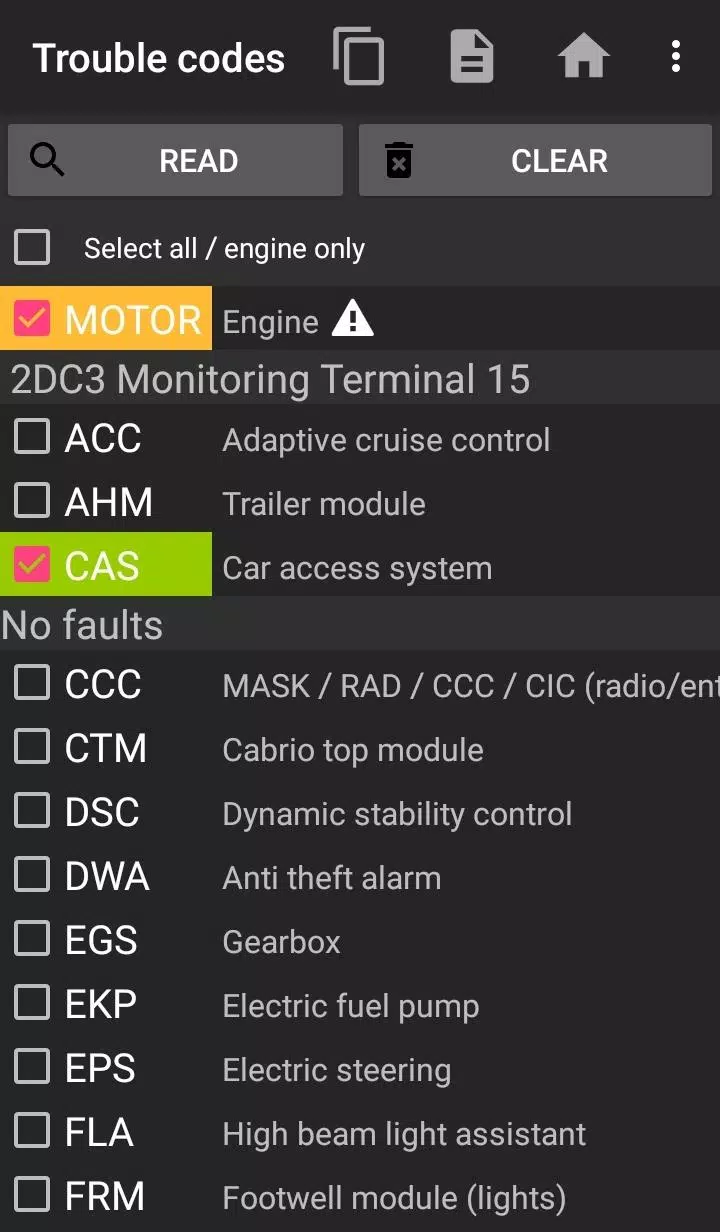
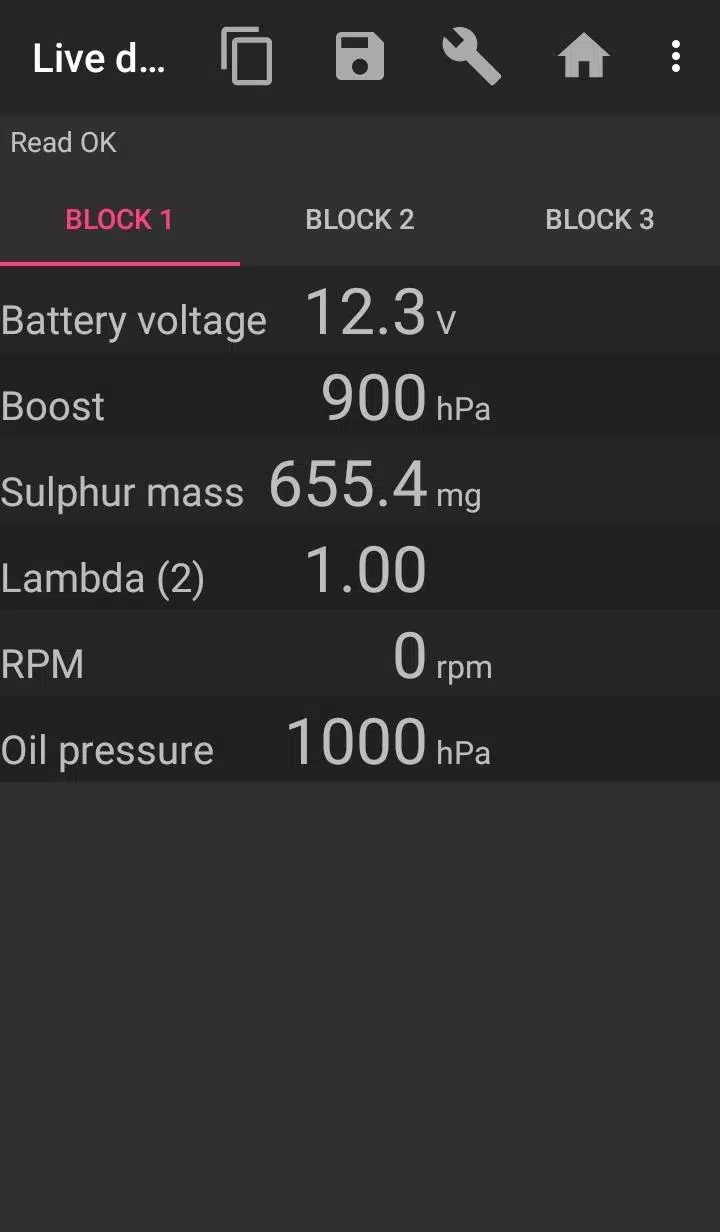
bimmer-tool allows to read & clear fault codes, request DPF regeneration, read engine live data and much more in BMW cars.
bimmer-tool 可用于读取和清除故障码、请求 DPF 再生、读取发动机实时数据等,适用于宝马汽车。
For cars below model year 2008 application functionality is limited and K+DCan USB cable connection is recommended. Wireless ELM adapter connection with cars below 2008 may not be possible or not all functions may be available.
对于生产年份早于 2008 年的车辆,应用程序功能受限,建议使用 K+DCan USB 数据线连接。使用无线 ELM 适配器连接 2008 年以前的车辆可能无法实现,或部分功能不可用。
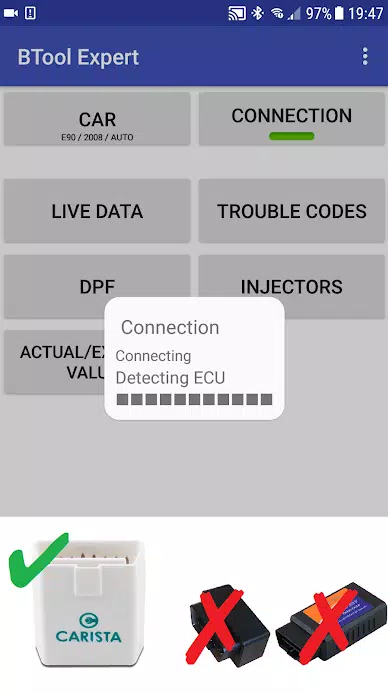
Important: This application requires a reliable OBD adapter. K+DCan cable, ENET adapter (for F/G series) or below Bluetooth adapters are recommended:
重要提示:本应用程序需要可靠的 OBD 适配器。推荐使用 K+DCan 数据线、ENET 适配器(用于 F/G 系列)或以下蓝牙适配器:
- Vgate vLinker MC/FS/BM/FD https://www.vgatemall.com/products/
- UniCarScan UCSI-2000/USCI-2100: Choose setting: D-Can mode: MODE2 https://www.wgsoft.de/shop/obd-2-komplettsysteme/unicarscan/114/unicarscan-ucsi-2000-diagnoseadapter
https://www.bmdiag.co.uk/unicarscan-ucsi-2000-bluetooth-obd2-adapter
- Carista https://caristaapp.com/adapter
- Veepeak OBDCheck BLE https://www.veepeak.com/product/obdcheck-ble
Application allows to:
应用程序支持以下功能:
- read DPF regeneration status and detailed information
- 读取 DPF 再生状态及详细信息
- request DPF regeneration
- 请求 DPF 再生
- reset DPF adaptation values (required after filter replacement)
- 重置 DPF 自适应数值(更换滤清器后必须执行)
- read exhaust fumes pressure
- 读取排气尾气压力
- read injectors adjustments
- 读取喷油器调整值
- read actual and expected values for air mass, intake manifold pressure, fuel pressure
- 读取进气质量、进气歧管压力、燃油压力的实际值与预期值
- log data to CSV file for further analysis
- 将数据记录至 CSV 文件以供后续分析
- register battery replacement (without changing battery properties)
- 注册电池更换(不修改电池属性)
- reset lamps circuits blocked due to short-circuit error
- 重置因短路故障导致锁死的灯路电路
- reset oil/brakes service and change interval**
- 重置机油/刹车保养及更换周期**
Supported OBD adapters
支持的 OBD 适配器
- K+D-Can USB: This is recommended and most reliable adapter. You will also need USB-OTG cable.
- K+D-Can USB:此为推荐且最可靠的适配器,您还需配备 USB-OTG 数据线。
- ENET cable/Wifi Adapter: recommended for F & G series. ENET cable connections you need additionally USB-C to Ethernet adapter.
- ENET 数据线/无线适配器:推荐用于 F 系列和 G 系列。使用 ENET 数据线连接时,还需额外配备 USB-C 转以太网适配器。
- ELM327 Bluetooth: Bluetooth connection may be slower than USB. Only genuine ELM327 or PIC18-based adapters will work. It may not work with older engines. More info below.
- ELM327 蓝牙:蓝牙连接速度可能低于 USB。仅原装 ELM327 或基于 PIC18 的适配器可正常工作,老旧发动机可能无法使用。详情见下文。
- ELM327 WiFi: Like ELM Bluetooth connection may be less stable. On some devices mobile data transmission needs to be disabled to use WiFi adapter.
- ELM327 无线:与蓝牙连接类似,可能稳定性较差。部分设备需关闭移动数据传输才能使用无线适配器。
If you have questions or need any help send me an email. You can find our address at the bottom of the page.
如您有任何疑问或需要帮助,请发送邮件联系我。您可在页面底部找到我们的联系方式。
Quick start
快速开始
1) Connect adapter to OBD II socket
1)将适配器连接至 OBD II 接口
2) Turn ignition on
2)打开点火开关
3) Connect adapter to your phone:
3)将适配器连接至您的手机:
* USB: Connect adapter to the phone using USB-OTG cable. Phone will ask which app to start - choose bimmer-tool app.
* USB:使用 USB-OTG 数据线将适配器连接至手机。手机会提示选择启动的应用程序,请选择 bimmer-tool 应用。
* Bluetooth: Go to phone Bluetooth setting. Search for Bluetooth devices and pair the adapter with the phone (PIN is usually 0000 or 1234).
* 蓝牙:进入手机蓝牙设置,搜索蓝牙设备,并将适配器与手机配对(PIN 码通常为 0000 或 1234)。
* Wifi: Turn mobile data transmission off. Turn WiFi on and search for available WiFi networks. Connect the phone to the adapter's WiFi.
* 无线:关闭移动数据传输功能。打开 WiFi 并搜索可用的无线网络,将手机连接至适配器的 WiFi。
4) Start the app, go to 'Car' and choose model and year.
4)启动应用程序,进入“车辆”选项,选择车型和年份。
5) Go to 'Connection' and choose connection type, adapter type and communication protocol.
5)进入“连接”选项,选择连接类型、适配器类型及通信协议。
6) Tap 'Connect' button.
6)点击“连接”按钮。
**Limitations:
**限制说明:
For models below 2008 and e46/e39/e83/e53 the app requires K+DCan cable connection and only engine ECU is supported. Connection using a wireless ELM adapter may not be possible.
对于 2008 年以前的车型以及 e46/e39/e83/e53 车型,应用程序必须使用 K+DCan 数据线连接,且仅支持发动机 ECU。使用无线 ELM 适配器连接可能无法实现。
Common problems
常见问题
- Engine 'No response' error in cars up to 2007 and BT/Wifi adapter. If this error occurs from time to time, try selecting ATWM option under advanced connection settings.
- 2007 年及以前车型在使用蓝牙或无线适配器时出现“发动机无响应”错误。若该错误间歇性出现,可在高级连接设置中尝试选择 ATWM 选项。
- No connection: If adapter & protocol settings are correct and app still cannot connect to the car try force stop all diagnostic applications in application manager (including bimmer-tool) or restart the phone and try to connect again.
- 无法连接:若适配器和协议设置正确,但应用程序仍无法连接车辆,请在应用管理器中强制停止所有诊断类应用程序(包括 bimmer-tool),或重启手机后再次尝试连接。
Why this app requires permissions?
为何本应用程序需要权限?
- Storage: required for USB adapters support
- 存储权限:用于支持 USB 适配器
- Photos / Media / Files: allows to create CSV files
- 相机/媒体/文件:用于创建 CSV 文件
- Pair with Bluetooth devices/access Bluetooth settings: required for Bluetooth adapters support
- 与蓝牙设备配对/访问蓝牙设置:用于支持蓝牙适配器
- Full network access: required for WiFi adapters support
- 完全网络访问权限:用于支持无线适配器
- Approximate location: In theory, it is possible to find approximate location using Bluetooth, however this app does not read/use location.
- 大致位置信息:理论上可通过蓝牙获取大致位置,但本应用程序不会读取或使用位置数据。
What's New in the Latest Version 3.7.6-L
最新版本 3.7.6-L 的更新内容
Last updated on Nov 10, 2024
最后更新于 2024 年 11 月 10 日
Diesel idle speed adjustment
柴油机怠速调整
Throttle body control
节气门体控制









-
 迪士尼梦幻谷公布大型展示直播日期,带来众多全新功能
迪士尼梦幻谷已公布下一次展示直播的日期。 它将揭示更多关于今年及2026年即将推出的内容细节。 重大更新即将到来——请标记你的日历!如果你是迪士尼粉丝,你可能已经淹没在你喜爱故事的周边商品、衍生作品和改编作品中。迪士尼梦幻谷也不例外——现已面向Apple Arcade订阅用户登陆移动端——而且它即将通过重大新功能变得更加庞大。即将推出什么?请观看明天10月15日播出的直播,东部时间下午1点,太平洋时间上午10点,欧洲时间晚上6点。开发者将与粉丝互动,并揭晓今年及未来推出的下一波内容。迪士尼梦幻谷
Oct 19,2026 -
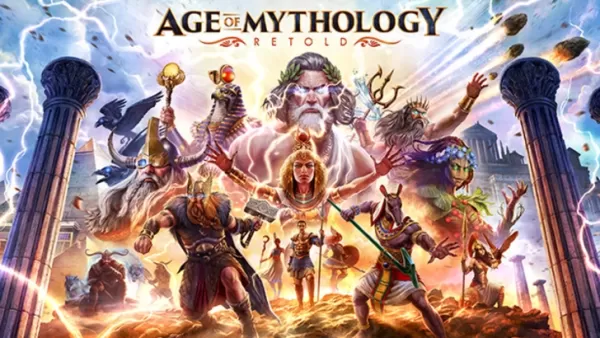 《神话时代:重制版》正式揭晓
《神话时代:重制版》是一款动作激烈的即时战略游戏,对于该类型游戏的爱好者而言无需过多介绍。立即在此获取游戏最新消息与更新动态。← 返回 神话时代:重制版 主文章《神话时代:重制版》新闻20256月6日⚫︎ 《神话时代:重制版》将于今年秋季推出全新大型章节“天之矛”,引入日本神话众神体系。该消息已由游戏官方X(原推特)账号发布。此次更新包含一个12关战役,背景设定于充满神话色彩的日本风格景观之中。玩家将指挥全新英雄,对抗神秘的妖怪,赢得12位新神的青睐,最终击败强大的凯马萨,恢复世界平衡。阅读更多
Oct 06,2026 - ◇ 最终幻想战略版:伊瓦利斯编年史回归 Oct 06,2026
- ◇ 20美元无线电动空气吹风机黑色星期五优惠不再仅限亚马逊Prime会员 Oct 05,2026
- ◇ 苹果手表 Series 11 节前降至历史最低价 Oct 03,2026
- ◇ 《龙珠Z》中13位最佳角色 Oct 01,2026
- ◇ 《Deltarune》Switch 2 独占功能在隐藏房间中揭晓 Oct 01,2026
- ◇ Scratchy Scratchy 是一款刮刮卡模拟器(没错,真的是这样),即将登陆 iOS 和 Android 平台 Sep 30,2026
- ◇ 《星露谷物语》手游新手指南:掌握核心机制与游戏进程 Sep 30,2026
- ◇ 《无主之地4》发售:正式发布时间公布 Sep 28,2026
- ◇ REPO的秘密商店已解锁:完整指南 Sep 27,2026
- ◇ 《堡垒之夜》在美国结束漫长等待后重返iOS平台 Sep 27,2026



- 1 Starseed更新:2025年1月的代码发布 Feb 25,2025
- 2 Pokemon GO Fest 2025:日期、地点和活动详情 Jan 08,2025
- 3 乌克兰互联网因“S.T.A.L.K.E.R.”而陷入停滞2' 释放压倒性 Dec 30,2024
- 4 神奇宝贝TCG口袋:Wonder Pick Pick,时间和促销卡 - 2025年2月 Mar 03,2025
- 5 《黑神话:悟空》在发售前几天就登顶 Steam 排行榜 Jan 07,2025
- 6 像韩国模拟人生一样,延迟到2025年3月 Mar 01,2025
- 7 Starseed Asnia触发代码(2025年1月) Mar 06,2025
- 8 刺客的信条阴影推迟到2025年3月进行增强 Feb 21,2025





-
预算与投资:您的财务应用指南
共 9 款
-
令人上瘾的超级音乐游戏以进行快速玩
共 10 款








